Thursday, 24 September 2026

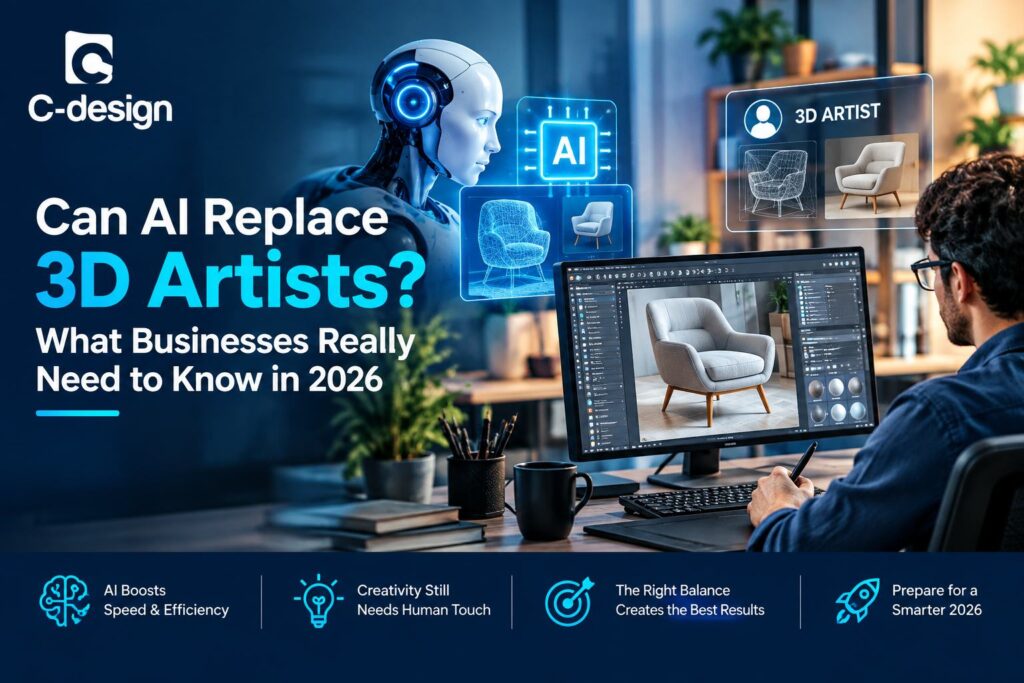
Can AI Replace 3D Artists? What Businesses Really Need to Know in 2026

Can AI Replace 3D Artists? What Businesses Really Need to Know in 2026


Artificial intelligence is changing 3D production at remarkable speed. Text-to-3D tools, image-to-3D systems, automatic texture generation, AI-assisted rendering, and generative concept tools can now create a first-pass asset in minutes. For companies that need product renders, e-commerce models, architectural visualization, animation, AR/VR content, or digital prototypes, that progress creates an important business question: can AI replace professional 3D artists?

In 2026, the practical answer is no—not for most customer-facing, technically demanding, or brand-critical work. AI can accelerate early exploration and automate parts of the pipeline. However, businesses still need human 3D artists for creativity, technical accuracy, customization, clean topology, material realism, quality control, and professional delivery.

The strongest production model is not AI versus human artists. It is AI-assisted, human-led 3D production. Outsource 3D Modeling helps businesses use this hybrid model by combining modern AI tools with skilled 3D artists who refine, validate, optimize, and deliver production-ready assets.

Why Businesses Are Asking This Question

The demand for 3D content is expanding across industries. Product manufacturers need reusable digital product libraries. Retailers need interactive 3D viewers and AR-ready assets. Marketing teams need campaign imagery and animation. Architecture firms need accurate visualizations. Training teams need technical demonstrations.

At the same time, businesses are under pressure to reduce production time and cost. AI promises rapid asset generation from a text prompt, single image, or set of reference photos. It can create interesting visual results without the traditional time investment of manual modeling.

For a rough concept, this can be valuable. But professional businesses need more than a model that looks acceptable in one generated preview. They need files that work in a real pipeline. They need correct proportions, clean geometry, editable materials, reliable variants, platform-ready formats, and quality that represents the brand accurately.

This is where professional 3D artists remain essential.

What AI Does Well in 3D Production

AI is already useful in modern 3D workflows. It can reduce repetitive work and give artists more directions to evaluate before committing to detailed production. In the right context, it increases speed without removing professional oversight.

AI can support:

  • Text-to-3D concept generation.
  • Image-to-3D starting models.
  • Rapid blockouts and environment drafts.
  • Basic prop generation.
  • Texture and material suggestions.
  • Reference-image analysis.
  • Early product visualisation concepts.
  • Background assets for low-risk scenes.
  • Asset variations for internal review.
  • Faster ideation before detailed manual work begins.

For businesses, this means that AI can reduce the time spent starting from a blank screen. A product team can test different directions. A marketing team can explore campaign concepts. A 3D artist can begin with a rough base instead of building every initial form manually.

Generative AI can automate portions of 3D work and free designers to spend more time on creative direction and refinement, but current tools still struggle to produce consistently high-quality results across different categories.

Where AI Still Falls Short

AI-generated 3D models can be visually impressive, especially at first glance. However, a professional 3D asset must be built correctly, not merely look convincing from one angle.

Common AI limitations include:

  • Inaccurate scale and proportions.
  • Missing or inconsistent geometry on hidden surfaces.
  • Poor edge flow and messy topology.
  • Non-manifold geometry, intersecting faces, and shading defects.
  • Unpredictable UV mapping.
  • Texture stretching or inconsistent materials.
  • Weak reproduction of logos, labels, stitching, and branded details.
  • Limited control over a specific part, vertex, surface, or product feature.
  • Difficulty creating consistent product variations.
  • Incomplete preparation for animation, AR/VR, game engines, manufacturing, or 3D printing.

AI-generated assets often require manual retopology, UV repair, material cleanup, scale checks, and geometry corrections before they can be used professionally. Current 2026 guidance on AI 3D tools notes that generated models may have uneven topology, inaccurate scale, texture issues, and production problems that require manual cleanup before final rendering, animation, simulation, or platform deployment.foxrenderfarm+2

This distinction matters. A fast generated mesh is not automatically a production-ready model.

Looking Right vs Being Built Right

A major mistake is assuming that a visually convincing image equals a professionally built 3D asset. Professional artists assess much more than surface appearance.

They assess:

  • Topology and edge flow.
  • Polygon efficiency.
  • UV layout.
  • Subdivision behaviour.
  • Surface continuity.
  • Material realism.
  • Scale accuracy.
  • File organisation.
  • Naming and layer structure.
  • Compatibility with target software.
  • Suitability for animation, AR/VR, web, or manufacturing.

For example, an AI-generated chair may look correct in a single image. But when a customer rotates it in an e-commerce viewer, the rear geometry may be wrong. When a real-time engine loads it, the polygon count may be too high. When the texture is viewed closely, fabric patterns may stretch. When an animator needs to move it, the mesh may have poor structure.

Professional 3D artists solve these problems before delivery. They create assets that are dependable in real business use—not only visually attractive in a quick preview.

AI vs Professional 3D Artists

AreaAI-Generated 3DProfessional 3D Artist
Initial speedVery fast for concepts and rough starting pointsSlower at the beginning, especially for complex assets
CreativityRecombines learned patterns and prompt inputsApplies art direction, taste, context, and storytelling
AccuracyOften approximateCan follow CAD, dimensions, drawings, samples, and technical references
CustomizationLimited control over exact changesPrecise control over every feature, material, and variation
TopologyOften needs cleanupBuilt for web, AR, animation, rendering, or manufacturing
Brand consistencyCan vary between outputsManaged consistently across product lines and campaigns
Quality controlRequires human validationIncludes expert review and technical correction
Complex projectsStruggles with assemblies, variants, and production logicCan manage complex product, architectural, and technical requirements
Best useConcepts, rough drafts, low-risk assetsFinal business assets, hero visuals, catalogs, AR/VR, animation, and technical production

AI is best seen as a productivity tool. It can accelerate early work, but professional artists provide the control and accountability that businesses need for final deliverables.

Creativity Cannot Be Reduced to a Prompt

AI can generate many visual options, but creativity is more than producing variations. Professional 3D artists understand composition, storytelling, material mood, target audience, brand tone, user experience, and commercial context.

A furniture brand may need its product to feel warm, premium, and tactile. A medical-device company may need a clean, technically accurate visual. A property developer may need a render that communicates daylight, scale, circulation, and atmosphere. A game studio may need a stylized character that fits an established art direction.

These are not simply geometry problems. They are creative and strategic decisions.

Human artists can ask questions AI cannot reliably answer:

  • What should the customer notice first?
  • Which details support the brand story?
  • Does this product feel premium, durable, playful, technical, or sustainable?
  • Is the lighting communicating the right mood?
  • Does the asset work with the campaign’s wider visual language?
  • Is the model designed for the intended audience and platform?

AI can generate possibilities. A professional artist chooses, improves, and directs those possibilities toward a business goal.

Technical Expertise Still Matters

Professional 3D production requires technical knowledge that goes beyond modeling. A business may need a single asset to work across multiple channels: a high-resolution render, a web product viewer, AR, a configurator, animation, marketing images, and a training application.

Each use case has different requirements.

E-Commerce and Interactive 3D

Models need clean topology, efficient polygon counts, PBR materials, optimised textures, and web-compatible formats such as GLB or glTF.

AR and VR

Assets must be lightweight, correctly scaled, efficiently textured, and built for real-time performance. They may need USDZ or GLB exports depending on the target platform.

Animation

Models need proper edge flow, UVs, rigging preparation, consistent materials, and a structure that deforms predictably.

Manufacturing and Product Development

Models may need precise dimensions, parametric logic, CAD compatibility, tolerances, and engineering review.

AI does not reliably understand these downstream requirements. A human artist or technical modeler ensures that the model is not only visually acceptable but usable in the final production environment.

Accuracy and Product Trust

For customer-facing product assets, accuracy is essential. An incorrect product model can create confusion, misrepresent a brand, and reduce trust.

Consider a furniture company using a 3D model online. If cushion depth, leg finish, upholstery texture, seam placement, or overall dimensions are wrong, customers may receive a product that does not match what they saw. For industrial equipment, inaccurate geometry can make sales demonstrations misleading. For architecture, an incorrect visualization can lead to poor client decisions.

Professional 3D artists work from reliable inputs such as:

  • CAD files.
  • Technical drawings.
  • Product dimensions.
  • Manufacturer information.
  • Material samples.
  • Reference photographs.
  • Brand guidelines.
  • Engineering requirements.

They verify proportions, details, finishes, and variants. This quality control is critical for businesses that need their digital assets to reflect real products or real spaces.

Customization and Complex Projects

AI works best when the object is simple, generic, or low risk. It becomes less reliable when a project requires exact customization or complex relationships between components.

Examples of complex 3D work include:

  • Configurable furniture with many fabric, size, and module options.
  • Industrial machinery with assemblies and moving components.
  • Automotive parts with precise surfaces and branded features.
  • Architectural models with accurate materials, detailing, and site context.
  • Medical devices with technical requirements.
  • Character assets requiring rigging and animation-ready topology.
  • Large product catalogs that require visual consistency across hundreds of SKUs.

These projects require a structured workflow. Artists need to organise files, create reusable components, manage variants, name assets correctly, optimise models, and perform quality checks. AI can support portions of this work, but it does not replace the human production pipeline.

Quality Control Is a Business Requirement

Quality control is where the difference between AI output and professional delivery becomes most visible. Businesses need a process that checks each asset before it goes live.

A professional quality-control workflow may include:

  • Geometry review.
  • Topology cleanup.
  • UV inspection.
  • Texture and material review.
  • Scale validation.
  • Naming and file-organisation checks.
  • Variant consistency checks.
  • Render review.
  • AR/VR or web performance testing.
  • Export validation.
  • Client feedback and revision control.

Outsource 3D Modeling describes a professional AR/VR production workflow that includes requirement gathering, initial mesh creation, detailing, UV unwrapping, texturing, platform optimisation, and QA checks for issues such as clipping, flipped normals, and texture stretching. It also notes that human oversight remains critical for high-end rendering and precise 3D work.outsource3dmodeling

This is why professional 3D services remain valuable. They deliver accountability, not just output.

The Best Model for 2026: Human + AI-Assisted Workflows

The most effective question is not “Should we use AI or human artists?” It is “Which parts of our workflow benefit from AI, and which parts require professional human expertise?”

A hybrid workflow may look like this:

  1. AI generates early concepts, rough forms, or reference ideas.
  2. A professional artist selects or develops the strongest direction.
  3. The artist rebuilds or refines geometry for accuracy and clean topology.
  4. Materials, textures, UVs, and lighting are created to brand standards.
  5. The asset is optimised for the target channel.
  6. Quality checks confirm that the file works as intended.
  7. The client reviews the result, and controlled revisions are completed.

This approach combines speed with reliability. AI reduces time spent on early exploration. Human specialists protect accuracy, creativity, customization, and final quality.

Some AI 3D workflow comparisons describe this as the practical production path: AI creates a base asset, then a professional artist refines and optimises it for higher-quality output.

How Outsource 3D Modeling Helps Businesses

Outsource 3D Modeling helps businesses use AI intelligently without sacrificing professional standards. The company combines experienced 3D artists with modern AI-assisted production methods to create assets that are accurate, customised, optimised, and ready for business use.

Services can include:

  • Product 3D modeling.
  • Furniture and catalog modeling.
  • Architectural 3D visualization.
  • Photorealistic rendering.
  • 3D animation and product demonstrations.
  • AR/VR-ready asset creation.
  • Interactive 3D and configurator support.
  • CAD-to-3D conversion.
  • Texture, material, and lighting development.
  • Model cleanup, retopology, UV mapping, and optimization.
  • Large-scale asset production and variation management.

Advantages for Businesses

  • AI-assisted speed: Use AI for rapid ideation or base generation where it adds value.
  • Human quality control: Professional artists review and correct geometry, topology, materials, and scale.
  • Accurate customization: Create models based on CAD files, drawings, samples, and exact brand requirements.
  • Production-ready delivery: Receive assets prepared for e-commerce, rendering, AR/VR, animation, or technical workflows.
  • Consistent brand output: Maintain quality across product variants, collections, catalogs, and campaigns.
  • Scalable capacity: Add resources for product launches, high-volume asset libraries, or ongoing production needs.
  • Cost control: Access specialised skills without building a large permanent in-house 3D team.
  • Flexible formats: Receive the correct formats and optimisation for the target platform.

The result is a smarter production model: AI speeds up the right tasks, while experienced artists ensure that the final asset is built correctly and ready to perform.

When AI-Only 3D May Be Enough

AI-only generation may be appropriate when the project is low risk and does not require high precision or final production quality.

Examples include:

  • Internal brainstorming.
  • Early concept exploration.
  • Rough scene blockouts.
  • Generic background props.
  • Temporary placeholders.
  • Mood-board development.
  • Low-detail social content.
  • Simple internal presentation visuals.

Even in these cases, businesses should review outputs for accuracy, brand alignment, copyright concerns, and unwanted visual artifacts before publishing.

When You Need Professional 3D Artists

Businesses should use professional 3D artists when assets need to be accurate, customer-facing, reusable, interactive, or technically reliable.

Professional modeling is essential for:

  • E-commerce product pages.
  • AR/VR product experiences.
  • Interactive 3D configurators.
  • Product variations and large catalogs.
  • High-end marketing and advertising visuals.
  • Architecture and real estate visualization.
  • Manufacturing and engineering assets.
  • Technical animations and assembly demonstrations.
  • Game-ready or animation-ready assets.
  • Medical, automotive, industrial, and regulated products.

In these situations, a poor asset can create cost, delay, customer confusion, or damage to brand trust. Professional human expertise is an investment in quality and business reliability.

A Practical Decision Checklist

Before choosing an AI-only, professional, or hybrid workflow, ask:

  • Does the asset need exact dimensions?
  • Will customers interact with, rotate, configure, or view the model in AR?
  • Does it need clean topology or animation-ready structure?
  • Is the product complex, branded, technical, or high value?
  • Are there multiple materials, sizes, finishes, or configurations?
  • Will the model be reused across e-commerce, AR, rendering, and video?
  • Does the final output need to meet strict quality or compliance requirements?
  • Is a rough concept enough, or does the asset need to be production-ready?

If accuracy, reuse, interactivity, or brand credibility matter, the final work should include professional 3D artist oversight.

The Future of 3D Artists in an AI World

AI will continue to change how 3D artists work. It will automate repetitive tasks, accelerate concept development, help generate starting points, and expand the number of assets teams can explore.

But professional 3D artists will not disappear. Their role will become more focused on the areas where human expertise creates the greatest value: art direction, technical precision, optimization, problem-solving, quality control, creative interpretation, and client-specific customization.

The future is not AI replacing artists. The future is skilled artists using AI to deliver better work faster.

For businesses, this is good news. It means they do not have to choose between speed and quality. With the right partner, they can use AI-assisted workflows while keeping professional standards at the center of production.

SEO Keywords

Can AI replace 3D artists, AI 3D modeling services, professional 3D artists, AI vs human 3D artists, AI-assisted 3D modeling, outsource 3D modeling, 3D product modeling services, 3D model quality control, AR VR 3D modeling, 3D asset optimization, Outsource 3D Modeling, professional 3D modeling services.

FAQs

1. Can AI replace professional 3D artists in 2026?

AI can speed up concepting and rough asset generation, but it cannot reliably replace professional artists for accurate, customised, production-ready, and brand-critical 3D work.

2. What are the main limitations of AI-generated 3D models?

AI-generated models may have inaccurate scale, messy topology, missing geometry, weak UVs, texture errors, limited customization, and poor suitability for animation, web, AR/VR, or manufacturing without manual refinement.

3. Is AI 3D modeling suitable for e-commerce?

AI can help with early concepts and basic previews, but e-commerce models usually need professional validation to ensure accurate product details, optimized performance, realistic materials, and consistent variants.

4. Why is topology important in 3D modeling?

Topology controls how a model is built. Clean topology helps a model texture correctly, animate smoothly, perform efficiently, and remain easy to edit or reuse across platforms.

5. When should businesses use AI-assisted 3D modeling?

Use AI-assisted workflows for concept exploration, reference generation, rough base meshes, and repetitive early-stage tasks. Human artists should refine and approve final business assets.

6. How does Outsource 3D Modeling use AI?

Outsource 3D Modeling can use AI to accelerate appropriate early-stage work, then applies expert modeling, retopology, UV mapping, texturing, optimization, quality checks, and format preparation for final delivery.

7. Why should businesses outsource professional 3D modeling?

Outsourcing provides access to specialized artists, scalable production capacity, quality control, accurate customization, and production-ready assets without the overhead of maintaining a large in-house 3D team.

Call to Action

Do Not Settle for a 3D Model That Only Looks Right—Choose One That Is Built Right

AI can generate ideas quickly. But when your business needs accurate products, clean geometry, realistic materials, configurable variants, AR/VR-ready assets, or high-impact marketing visuals, professional human expertise makes the difference.

Outsource 3D Modeling combines AI-assisted speed with skilled 3D artists, technical quality control, and production-ready delivery. From a single product model to a large digital catalog, we help you create 3D assets that work across e-commerce, marketing, AR/VR, animation, and more.

Ready to combine AI speed with professional 3D quality?
Visit www.outsource3dmodeling.com to request a free 3D modeling quote and discuss the right workflow for your business.

Tags

Can AI replace 3D artists, AI 3D modeling, professional 3D artists, AI vs human 3D artists, AI-assisted 3D modeling, outsource 3D modeling, 3D product modeling, 3D model quality control, AR VR 3D assets, 3D asset optimization, 3D modeling services, Outsource 3D Modeling.

Thursday, 20 August 2026

AI 3D Product Modeling vs Professional 3D Modeling: What Should Businesses Choose in 2026?

 AI 3D Product Modeling vs Professional 3D Modeling: What Should Businesses Choose in 2026?

In 2026, 3D product modeling is more important than ever. E-commerce brands, marketers, and product teams need 3D assets for online stores, AR experiences, configurators, and advertising. But with the rise of AI-powered 3D tools, businesses face a new question: should they rely on AI 3D product modeling, or stick with professional 3D modeling services?

The answer is not as simple as choosing one over the other. AI tools are fast and affordable, but they have limitations in accuracy, control, and production readiness. Professional 3D modeling delivers precision and quality, but it can take longer and cost more. The smartest approach for most businesses is a hybrid workflow that combines AI speed with human expertise.

For companies that want the best of both worlds, Outsource 3D Modeling offers a practical solution. By using AI-assisted workflows alongside skilled 3D artists, the company helps brands create high-quality, production-ready 3D models faster and more cost-effectively.

What Is AI 3D Product Modeling?

AI 3D product modeling refers to using machine learning tools and generative AI platforms to automatically convert 2D images, text prompts, or scanned data into a 3D model. Instead of a 3D artist manually building geometry, texturing, and lighting a model from scratch, the AI analyzes patterns from massive training datasets and predicts what the object should look like in three dimensions.

Typical AI 3D modeling workflows include:

  • Image-to-3D generation, where one or more product photos are converted into a rotatable 3D mesh
  • Text-to-3D generation, where a written description produces a 3D concept model
  • Photogrammetry-assisted AI reconstruction, where AI fills in gaps from multiple scanned images
  • Automated texture and material prediction based on the reference photos

This approach has made 3D content dramatically more accessible, letting even small businesses experiment with 3D product visualization without hiring a full production studio.

What Is Professional 3D Modeling?

Professional 3D modeling is the traditional, human-led process where trained 3D artists, CAD specialists, and technical modelers build a product model manually using industry-standard software such as Blender, 3ds Max, Maya, ZBrush, or SolidWorks. Every edge, curve, material, and lighting decision is made deliberately, based on real product specifications, reference photography, and brand guidelines.

A professional 3D modeling workflow typically includes:

  • Detailed reference gathering and technical measurement review
  • Manual mesh creation with clean, production-ready topology
  • Accurate UV mapping and photorealistic texturing
  • Studio-quality lighting and rendering for ecommerce, AR, or marketing
  • Format optimization for web, mobile, AR/VR, and 3D printing
  • Quality control and revision rounds based on client feedback

Because a skilled artist controls every stage, professional 3D modeling remains the gold standard for products where accuracy, brand consistency, and visual polish directly affect sales and trust.

AI 3D Modeling vs Professional 3D Modeling: Side-by-Side Comparison

FactorAI 3D Product ModelingProfessional 3D Modeling
SpeedMinutes to hours per modelHours to a few days per model
Cost per modelVery low, scales cheaplyHigher, reflects skilled labor
Accuracy & realismGood for simple, symmetrical itemsExcellent for complex geometry and materials
CustomizationLimited manual controlFull creative and technical control
Best use caseBulk catalogs, quick previews, prototypesHero products, AR/VR, animation, engineering
File readinessOften needs cleanup before production useProduction-ready, optimized for every platform
ScalabilityExtremely high for simple SKUsScalable with a managed outsourced team

As the table shows, AI and professional 3D modeling aren't really competitors — they're tools suited to different stages and different types of products.

Advantages of AI 3D Product Modeling

1. Speed at Scale

AI can generate a rough 3D model in minutes, which is invaluable for businesses that need to visualize hundreds or thousands of SKUs quickly, such as furniture retailers or fashion catalogs.

2. Lower Entry Cost

For simple, symmetrical products, AI tools reduce the cost per model dramatically, making 3D visualization accessible to startups and small ecommerce sellers testing the waters.

3. Rapid Prototyping

Product designers can use AI-generated 3D concepts early in development to visualize ideas before committing budget to a fully engineered, professional model.

4. Good Enough for Simple Use Cases

Basic homepage previews, quick social content, or internal mockups often don't need pixel-perfect precision — AI output can be sufficient.

Limitations of AI 3D Modeling

  • Struggles with fine detail, reflective materials, transparency, and complex mechanical parts
  • Often produces messy, non-optimized geometry that isn't truly production-ready
  • Limited creative and technical control — you can't easily fine-tune specific dimensions or brand details
  • Inconsistent quality across a product line, which can hurt brand perception
  • May require significant manual cleanup before use in AR, ecommerce platforms, or 3D printing

This last point is critical: many businesses discover that an AI-generated model looks impressive in a demo but fails once it needs to load smoothly in an AR viewer, match exact product dimensions, or sit next to other assets in a polished catalog.


Advantages of Professional 3D Modeling

1. Photorealistic Accuracy

Professional artists replicate exact materials, textures, stitching, reflections, and proportions — essential for products where customers judge quality visually, like furniture, jewelry, electronics, and apparel.

2. Production-Ready Files

Human-built models come with clean topology and optimized file sizes, ready to plug into Shopify 3D viewers, AR try-on tools, game engines, or CAD pipelines without rework.

3. Brand Consistency

A professional team follows brand style guides so every product model, across an entire catalog, looks and feels consistent — something AI tools struggle to guarantee at scale.

4. Full Creative and Technical Control

Need a specific camera angle, a configurable product variant, an animated opening mechanism, or engineering-accurate CAD data? Professional modelers can build exactly to spec.

5. Reliable Quality Assurance

Every model goes through review and revision cycles, ensuring accuracy before it reaches your website, AR app, or marketing campaign.

Why the "AI vs Human" Debate Misses the Point in 2026

The most successful businesses in 2026 aren't choosing AI or professional 3D modeling — they're combining both. AI is exceptional at accelerating the early, repetitive parts of the process: rough shape generation, base mesh creation, and rapid iteration. Professional 3D artists then take that foundation and refine it into a polished, production-ready, brand-accurate asset.

This hybrid, human + AI-assisted workflow captures the best of both worlds: the speed and scalability of AI 3D product modeling, combined with the precision, realism, and quality control of professional 3D modeling. It's exactly the model we use at Outsource3DModeling.com to help brands move faster without sacrificing visual quality.

Which Approach Should Your Business Choose in 2026?

Use this quick framework to decide:

Choose AI 3D Modeling When:

  • You need to visualize simple, symmetrical products quickly
  • You're prototyping ideas internally, not customer-facing yet
  • Budget is extremely limited and volume is very high
  • Perfect accuracy is not mission-critical

Choose Professional 3D Modeling When:

  • Your products have complex geometry, materials, or mechanisms
  • You're building AR try-on, configurators, or interactive ecommerce experiences
  • Brand consistency and photorealism directly affect purchase decisions
  • You need production-ready, platform-optimized files

Choose a Hybrid (AI + Professional) Workflow When:

  • You want speed and scale without sacrificing quality
  • You're modeling a large catalog but still need brand-level polish
  • You want a future-proof strategy that adapts as AI tools keep improving

For most growing ecommerce and product brands, the hybrid path offers the best return on investment — and it's the path our team at Outsource3DModeling.com is built to deliver.

How Outsource 3D Modeling helps you choose and execute

Outsource 3D Modeling positions you for the hybrid approach that most businesses need:

  • AI-assisted acceleration: Uses AI to generate first-pass models or drafts from images/CAD, cutting initial time.

  • Human expert refinement: Senior modelers correct geometry, enforce dimensions, rebuild clean topology, and optimize for web/AR.

  • Production-ready outputs: Delivers assets that are truly ready for e-commerce, AR viewers, configurators, and marketing.

  • Catalog-scale workflows: Standardized pipelines for large SKU sets (consistent materials, naming, LODs, variants).

  • Format flexibility: Exports to .glb/.gltf, .fbx, .obj, .usdz, .step, etc., matched to your stack.

  • QA & revisions: Structured QA checks and a clear revision policy so you get what you expect.

  • Security: NDAs and secure handling of your product data and CAD files.

  • Cost & speed balance: Lower cost than pure manual modeling, with far higher quality than AI-only.

Bottom line: For business outsourcing in 2026, pick a partner that runs a human + AI-assisted workflow. That is exactly where Outsource 3D Modeling adds value: faster turnaround without sacrificing the accuracy and optimization your sales channels require.

The Future of 3D Product Modeling

The future of 3D modeling will involve more AI, more automation, and more integration with e-commerce and AR platforms. But human expertise will remain essential for quality, accuracy, and creative control.

Companies that adopt hybrid workflows now will be better positioned for:

  • Immersive shopping experiences.
  • Digital twins and product simulations.
  • AI-driven visualization and automation.
  • Global e-commerce expansion.

Choosing the right 3D modeling partner today is a strategic move for future growth.

The Bottom Line

AI 3D product modeling and professional 3D modeling aren't rivals fighting for the same job — they're complementary tools serving different stages of the same goal: getting accurate, engaging 3D content in front of your customers, faster. In 2026, the businesses that win are the ones that use AI to accelerate production while relying on professional 3D artists to guarantee quality, consistency, and brand trust.

If you're ready to modernize your product visualization strategy without compromising on quality, Outsource3DModeling.com is here to help you get there — combining AI-assisted speed with professional 3D modeling expertise.

Ready to Bring Your Products to Life in 3D?

Whether you need AI-accelerated 3D models or fully custom professional 3D product modeling, our team at Outsource3DModeling.com is ready to help your brand stand out.

👉 Request a Free 3D Modeling Quote


Frequently Asked Questions (FAQs)

1. What is the main difference between AI 3D modeling and professional 3D modeling?

AI 3D modeling automatically generates a 3D model from photos or text using machine learning, offering speed and low cost. Professional 3D modeling is manually built by trained artists, offering higher accuracy, cleaner geometry, and production-ready quality.

2. Is AI 3D modeling accurate enough for ecommerce product pages?

For simple products, AI-generated models can work for quick previews. However, for detailed, reflective, or complex products, professional refinement is usually needed to achieve the accuracy and polish customers expect on ecommerce platforms.

3. How much does professional 3D product modeling cost compared to AI tools?

AI tools are generally cheaper per model, but often require cleanup. Professional 3D modeling services, especially when outsourced, offer competitive pricing while delivering production-ready files, making the total cost of ownership comparable or even lower over time.

4. Can AI and professional 3D modeling be used together?

Yes. A hybrid workflow, where AI accelerates the initial model generation and skilled 3D artists refine texture, geometry, and accuracy, is one of the most efficient approaches available in 2026, and it's the method Outsource3DModeling.com specializes in.

5. What file formats does Outsource3DModeling.com deliver?

We deliver optimized 3D files in formats such as OBJ, FBX, GLB/GLTF, USDZ, and STL, tailored for ecommerce 3D viewers, AR/VR applications, game engines, and 3D printing, depending on your project needs.

6. How long does it take to get a professional 3D model made?

Turnaround time depends on product complexity, but with our AI-assisted workflow, most standard product models are delivered significantly faster than traditional manual-only production, without compromising quality.

7. Which industries benefit most from professional 3D product modeling?

Furniture, fashion, jewelry, electronics, automotive, home decor, and industrial manufacturing brands benefit the most, especially those using 3D visuals for ecommerce, AR try-on, configurators, or marketing campaigns.

Get Started with Outsource3DModeling.com

Don't let outdated or inconsistent 3D visuals hold your brand back. Whether you need a handful of hero product models or an entire catalog visualized, our team blends AI speed with professional 3D artistry to deliver results that convert.

Visit www.outsource3dmodeling.com today and Request a Free 3D Modeling Quote to see how we can transform your products into stunning, sales-ready 3D assets.

Tags:

AI 3D product modeling, professional 3D modeling, 3D modeling services, AI vs professional 3D, hybrid 3D workflow, AI-assisted 3D modeling, 3D modeling for e-commerce, AR 3D models, product visualization, Outsource 3D Modeling, 3D modeling accuracy, 3D modeling cost, 3D modeling

Tuesday, 18 August 2026

How to Choose the Right 3D Product Modeling Company in 2026

How to Choose the Right 3D Product Modeling Company in 2026


In 2026, 3D product modeling is no longer a luxury. It is a necessity for brands that want to showcase products online, support AR experiences, create marketing visuals, or prepare for manufacturing. But with so many service providers available, choosing the right 3D product modeling company can be overwhelming.

The wrong choice can lead to inaccurate models, missed deadlines, poor communication, and wasted budget. The right choice can accelerate your product launches, improve marketing quality, and reduce long-term costs. That is why having a clear buyer's checklist is essential.

For businesses that want reliable, high-quality results, Outsource 3D Modeling offers a trusted solution. With years of experience in 3D product design, modeling accuracy, and large catalog handling, the company helps brands move from concept to production-ready assets with confidence.

This guide breaks down exactly what to look for when you outsource 3D modeling services, with a practical, 10-point buyer's checklist you can use to evaluate any vendor — including us, Outsource3DModeling.com.

Why Choosing the Right 3D Modeling Partner Matters in 2026

The 3D content industry has matured fast. AI-assisted rendering, real-time engines, AR shopping on Instagram and Amazon, and virtual showrooms have turned 3D assets from a marketing extra into a core sales tool. At the same time, hundreds of freelancers and agencies now claim to offer "professional 3D modeling services," making it harder than ever to separate real expertise from inflated portfolios.

Choosing poorly costs more than money. It costs time-to-market, brand credibility, and customer trust — especially when a product's 3D model doesn't match its real-world dimensions, materials, or colors. Below is the checklist we recommend every business run through before signing a contract.


The 10-Point Buyer's Checklist for Choosing a 3D Product Modeling Company

Use this checklist to score potential vendors objectively. A strong partner should check every box below — not just one or two.

1. Industry Experience

Experience is more than "years in business." Ask potential vendors how many products they've modeled, which industries they specialize in, and whether they've handled projects similar in scale and complexity to yours. A company with deep experience in furniture 3D modeling, for example, will understand fabric draping, wood grain, and joinery details far better than a generalist studio.

  • Ask: "How many SKUs have you modeled in my product category?"
  • Ask: "Can you share client references or case studies?"

2. Portfolio & Niche Relevance

A strong portfolio tells you more than a sales pitch ever could. Look beyond polish — check for consistency across multiple products, accurate material rendering (glass, leather, metal, fabric), and evidence that the company can replicate your brand's visual style at scale.

  • Request samples specific to your product category, not just generic 3D art.
  • Check if lighting, shadows, and material finishes look photorealistic across different lighting setups.
  • Look for consistency — every product in a catalog should feel like it belongs to the same visual family.

3. Modeling Accuracy

Accuracy is where most low-cost vendors fail. A 3D product model must match the real product's exact dimensions, proportions, textures, and colors — especially for e-commerce, where inaccurate visuals lead to returns and lost customer trust. Ask how the company verifies measurements: do they work from CAD files, technical drawings, spec sheets, or multi-angle reference photography?

  • Confirm whether they can model from photographs alone or require CAD/technical references.
  • Ask about their internal QA/QC process before final delivery.
  • Request a test model or pilot SKU before committing to a full catalog.

4. Software Expertise

The right software stack affects both quality and compatibility with your existing pipeline. A capable 3D modeling company should be fluent across multiple tools and file formats so your models integrate smoothly into your website, AR platform, or rendering pipeline.

  • Modeling: 3ds Max, Maya, Blender, ZBrush, SolidWorks, Rhino
  • Rendering: V-Ray, KeyShot, Corona, Arnold
  • File formats: OBJ, FBX, GLTF/GLB, USDZ, STEP, STL — critical for AR/VR and web viewers

5. Turnaround Time

Speed matters, but not at the cost of accuracy. Ask for a realistic per-SKU turnaround estimate and how that scales for bulk orders. A dependable partner will be upfront if a rush request compromises quality, rather than overpromising and under-delivering.

  • Get turnaround estimates in writing, including for large batch orders.
  • Ask how they handle urgent or rush requests, and whether that affects pricing.

6. Revision Policy

Even the best briefs need refinement. A transparent revision policy protects you from unexpected costs later. Look for a clearly stated number of included revision rounds, a simple feedback process, and reasonable turnaround for revised files.

  • How many revision rounds are included in the base price?
  • What is the process for submitting feedback (markup tools, calls, tickets)?
  • Are revisions delivered within a guaranteed timeframe?

7. Confidentiality & Data Security

If you're modeling unreleased products, prototypes, or proprietary designs, confidentiality is non-negotiable. A trustworthy 3D modeling company should offer a signed Non-Disclosure Agreement (NDA), secure file-sharing channels, and clear policies on data retention and deletion after project completion.

  • Is an NDA offered and signed before any files are shared?
  • How are source files, CAD data, and reference images stored and protected?
  • What happens to your files after the project is completed?

8. Transparent Pricing

Pricing should be easy to understand and scale predictably. Watch out for vague quotes that don't break down cost per SKU, complexity tier, or revision. The best vendors offer tiered pricing based on model complexity (low-poly vs. photorealistic) and volume discounts for large catalogs.

  • Request an itemized quote broken down by SKU, complexity, and add-ons (animation, AR-ready formats, etc.).
  • Ask about volume discounts for bulk or recurring catalog work.
  • Confirm there are no hidden charges for file format conversions or revisions.

9. Communication

Time zones, language barriers, and unclear project management can derail even the most talented 3D team. Prioritize vendors who assign a dedicated project manager, provide regular status updates, and are responsive across your preferred communication channels — email, chat, or video calls.

  • Is there a single point of contact for your account?
  • What tools are used for project tracking and file sharing?
  • How quickly do they typically respond to questions or issues?

10. Ability to Handle Large Product Catalogs

If you sell hundreds or thousands of SKUs, scalability is essential. Ask about the size of the production team, their capacity for parallel workflows, and how they maintain consistent quality and style across an entire catalog — not just a handful of hero products.

  • Can they commit to recurring monthly or quarterly catalog updates?
  • Do they use standardized templates or style guides to keep large catalogs visually consistent?
  • What is their maximum monthly production capacity?

Why Outsourcing 3D Modeling Makes Sense

Outsourcing 3D product modeling offers several advantages:

  • Cost efficiency: Pay only for what you need without hiring full-time staff.
  • Access to expertise: Work with specialists who focus on 3D modeling daily.
  • Scalability: Scale up or down based on project needs.
  • Faster delivery: Dedicated teams can complete work faster.
  • Focus on core business: Free internal teams to focus on strategy and growth.

These benefits make outsourcing a practical way to build a strong 3D asset library.

Common Use Cases

Brands use 3D product modeling for many purposes:

  • E-commerce product pages and 360-degree views.
  • AR and VR experiences for marketing and sales.
  • Configurable product viewers on websites.
  • Marketing renders and advertising visuals.
  • Manufacturing and engineering documentation.
  • Packaging and label design support.

In each case, having accurate, high-quality 3D models improves results and reduces costs.

The Future of 3D Product Modeling

The demand for 3D product assets will only continue to grow. As AR, VR, and interactive experiences become more common, brands will need more 3D content to stay competitive.

Companies that invest in 3D modeling now will be better positioned for:

  • Immersive shopping experiences.
  • Digital twins and product simulations.
  • AI-driven visualization and automation.
  • Global e-commerce expansion.

Choosing the right 3D modeling partner today is a strategic move for future growth.


Why Outsource3DModeling.com Checks Every Box

At Outsource3DModeling.com, we built our entire workflow around this exact checklist, because we know it's how serious buyers evaluate 3D modeling partners. Here's how we stack up:

  • Proven Experience Across Industries: Our team has modeled products across furniture, jewelry, apparel, footwear, electronics, industrial equipment, and more — so we understand the nuances of your specific category.

  • A Portfolio Built on Photorealism: Every project showcases accurate materials, lighting, and proportions, giving you confidence before you commit.

  • Dimensional Accuracy, Guaranteed: We work from CAD files, spec sheets, or multi-angle photography and run every model through internal QA before delivery.

  • Full-Stack Software Expertise: Our artists work fluently across 3ds Max, Maya, Blender, ZBrush, KeyShot, and V-Ray, delivering files in OBJ, FBX, GLTF/GLB, USDZ, and more for web, AR, and print.

  • Fast, Reliable Turnaround: Clear timelines for single SKUs and bulk catalogs alike, with rush options when you need them.

  • Fair, Transparent Revision Policy: Multiple included revision rounds with a simple feedback process, so you get it right without surprise fees.

  • Strict Confidentiality: NDAs, secure file transfer, and strict data handling policies protect your unreleased and proprietary products.

  • Transparent, Scalable Pricing: Itemized quotes and volume discounts designed for both single-product brands and large retailers.

  • Responsive Communication: A dedicated project manager and regular updates keep you informed at every stage.

  • Built for Large Catalogs: A scalable production pipeline capable of modeling hundreds to thousands of SKUs with consistent style and quality, on recurring schedules.

In short, we don't just meet the checklist — we built our process around it, so brands and retailers can outsource 3D modeling with confidence instead of guesswork.

Ready to See the Difference the Right 3D Modeling Partner Makes?

Whether you need a single hero product or a catalog of 10,000 SKUs, our team is ready to help you launch stunning, accurate 3D models.

👉 Request a Free 3D Modeling Quote

Final Thoughts

Choosing the right 3D product modeling company in 2026 comes down to one thing: proof, not promises. Use the 10-point checklist above — experience, portfolio, accuracy, software expertise, turnaround, revisions, confidentiality, pricing, communication, and catalog scalability — to evaluate any vendor objectively before you sign a contract.

If you're ready to work with a team that checks every box, Outsource3DModeling.com is ready to bring your products to life in stunning, accurate 3D.

👉 Request a Free 3D Modeling Quote Today


Frequently Asked Questions (FAQs)

1. How much does it cost to outsource 3D product modeling?

Pricing typically depends on model complexity, level of realism required, and order volume. Simple low-poly models cost less than photorealistic, animation-ready assets. Most 3D modeling companies, including ours, offer tiered pricing and volume discounts for large catalogs — always request an itemized quote before starting.

2. How long does it take to create a 3D product model?

A single, moderately detailed product model usually takes a few business days, while photorealistic or highly complex models can take longer. Bulk catalog projects are typically scheduled in batches with clear weekly or monthly delivery targets.

3. What files do I need to provide to get an accurate 3D model?

The more reference material you provide, the more accurate the result. Ideal inputs include CAD files or technical drawings, multi-angle photographs, material swatches, and exact measurements. If CAD isn't available, an experienced studio can still model accurately from detailed photos and specs.

4. Can a 3D modeling company handle my entire product catalog, not just a few items?

Yes — established studios build scalable production pipelines specifically for large catalogs, using standardized style guides to keep hundreds or thousands of SKUs visually consistent. Ask any vendor directly about their maximum monthly production capacity before signing on.

5. Will my product designs stay confidential?

A reputable 3D modeling partner will sign an NDA before any files are shared and follow strict data protection practices, including secure transfer and controlled file retention. Always confirm confidentiality terms in writing before sending proprietary designs.

6. What file formats will I receive for my 3D models?

Common deliverables include OBJ, FBX, GLTF/GLB (for web and AR), USDZ (for iOS AR), and STL or STEP for manufacturing use cases. Confirm the formats you need upfront, especially if you're integrating models into a specific e-commerce platform or AR tool.

7. How do I know if a 3D model is accurate before it goes live on my website?

Reliable vendors include a quality assurance step that checks proportions, dimensions, textures, and colors against reference materials before delivery. You should also request a pilot model or test SKU first to validate accuracy before committing to a full catalog.

Tags

3D Product Modeling | Outsource 3D Modeling | 3D Modeling Company | E-commerce 3D Models | Product Visualization | CAD Modeling Services | 3D Rendering Services | AR/VR Product Models | Photorealistic 3D Models | 3D Modeling for Large Catalogs | Choose 3D Modeling Company 2026

Thursday, 30 July 2026

The Impact of 3D Modeling and Digital Twins in Industrial Design and Manufacturing

The Impact of 3D Modeling and Digital Twins in Industrial Design and Manufacturing

 In today’s fast-moving industrial world, precision is everything. Whether you are designing a new machine component, refining a consumer product, or building a complex manufacturing system, even a small error can create costly delays. That is why 3D modeling and digital twins have become essential tools in modern industrial design and manufacturing. They help engineering teams move faster, test smarter, reduce waste, and deliver products with greater confidence.

For companies that need accuracy without slowing down production, Outsource 3D Modeling offers a practical advantage. By outsourcing CAD and 3D modeling work to skilled professionals, businesses can access high-quality design support, speed up development cycles, and reduce the burden on in-house teams. In a competitive market, that flexibility can make a real difference.

What Are 3D Modeling and Digital Twins?


At the most basic level, 3D modeling is the process of creating a digital three-dimensional representation of a part, product, or assembly. In industrial design, these models are often built with parametric CAD tools, which means the model can be edited by changing dimensions, features, or constraints. This makes design iterations faster and more controlled.

A digital twin takes that idea a step further. It is a virtual version of a physical product, process, or machine that can be used for simulation, monitoring, and performance analysis. In manufacturing, digital twins allow teams to see how a product will behave in real-world conditions before it is even built. That means better planning, fewer surprises, and stronger decision-making.

Together, 3D modeling and digital twins give engineers a smarter way to design, test, and improve products before production starts.

Why 3D Modeling Matters in Industrial Design

Industrial design is not just about making a product look good. It is about making sure the product functions properly, can be manufactured efficiently, and meets real-world requirements. This is where precise parametric 3D modeling becomes especially valuable.

A well-built 3D model helps designers:

Visualize the product clearly before prototyping.

Test fit and functionality early.

Make design changes without starting from scratch.

Detect interference or clearance issues before production.

Improve collaboration between design, engineering, and manufacturing teams.

When a model is parameter-driven, the design process becomes more flexible. If a shaft diameter changes, for example, linked components can update accordingly. That saves time and reduces the risk of mismatch errors. For industrial product design, this level of control is not just helpful — it is essential.

How Digital Twins Improve Manufacturing

Digital twins are transforming manufacturing because they allow teams to simulate conditions, analyze performance, and improve processes before physical production begins. Instead of waiting for a problem to happen on the shop floor, manufacturers can identify risks in the digital environment first.

This is especially useful for:

Assembly line planning.

Machine and equipment performance testing.

Process optimization.

Predictive maintenance.

Quality assurance and error prevention.

For example, if a digital twin shows that a component may overheat under certain operating conditions, engineers can make changes before any material is wasted on a flawed prototype. That kind of early insight can save time, money, and resources.

Digital twins also help teams monitor live systems once production begins. By comparing actual performance with the digital model, manufacturers can spot inefficiencies, reduce downtime, and keep operations running smoothly.

Faster Prototyping and Better Product Development

One of the biggest advantages of 3D modeling and digital twins is the ability to accelerate rapid prototyping. In traditional product development, teams often relied on multiple physical prototypes, each one costing time and money. With modern CAD and simulation tools, many issues can now be caught digitally before prototypes are made.

This speeds up the development cycle in several ways:

Design changes can be made quickly in the CAD model.

Virtual testing reduces the number of physical iterations.

Engineers can compare multiple versions side by side.

Prototypes become more accurate because many errors are already resolved.

For industrial product development, that means faster time to market. When teams can move from concept to production with fewer setbacks, they gain a real business advantage.

Reducing Material Waste and Production Costs

Manufacturing waste is not just an environmental concern — it is also a cost concern. Every incorrect cut, failed prototype, or reworked part adds expense. Precise 3D modeling and digital simulation help reduce those losses by catching problems earlier in the workflow.

Here is how they help reduce waste:

Accurate models minimize design errors.

Virtual testing lowers the need for repeated physical prototypes.

Better planning reduces material overuse.

Assembly simulations prevent costly manufacturing mistakes.

Design validation helps avoid scrap and rework.

This is one reason why many companies now rely on Outsource 3D Modeling for CAD support. When experienced professionals handle the modeling process, the resulting designs are often cleaner, more accurate, and easier to manufacture. That translates into less waste, fewer corrections, and better efficiency overall.

Preventing Manufacturing Errors Before They Happen

Manufacturing errors are expensive because they affect timelines, materials, labor, and customer trust. Even a small design flaw can create a chain reaction in production. A hole placed incorrectly, a part that does not align, or a tolerance issue can create major setbacks.

3D modeling and digital twins help prevent these problems by allowing teams to verify designs before fabrication. With the right CAD workflow, engineers can:

Check part interference.

Validate tolerances.

Review assembly compatibility.

Simulate movement and load conditions.

Identify weak points in the design.

This proactive approach reduces the chance of error during production. It also helps teams work with greater confidence because they are not guessing — they are testing and validating.

Why Parametric CAD Is So Important

Parametric CAD is one of the strongest tools in industrial design because it keeps the model intelligent and editable. Rather than redrawing a part every time a dimension changes, engineers can update the driving parameters and let the system adjust automatically.

That matters because industrial projects often evolve quickly. A customer may request a different size. A supplier may change a material. A manufacturing process may require a design adjustment. Parametric modeling makes those changes easier to manage without creating a messy workflow.

It also improves consistency across assemblies. When related components are linked logically, design updates remain aligned. That means fewer mistakes, less manual correction, and better overall quality.

The Role of Outsourcing CAD in Modern Engineering Workflows

Many engineering and product design teams are under pressure to do more with less. Deadlines are tighter, product complexity is higher, and internal teams are often stretched thin. This is where outsourcing CAD becomes a smart business decision.

By working with a trusted partner like Outsource 3D Modeling, companies can extend their design capacity without adding full-time overhead. Outsourcing does not mean giving up control. In fact, it often improves workflow by giving businesses access to specialized CAD talent exactly when they need it.

Here are some of the key advantages:

Access to experienced 3D modeling professionals.

Faster turnaround on design tasks.

Support for peak workloads and urgent projects.

Reduced hiring and training costs.

Better scalability for growing businesses.

For industrial design firms, manufacturers, and engineering companies, outsourcing can help keep projects moving without sacrificing quality.

How Outsource 3D Modeling Adds Value

Outsource 3D Modeling focuses on delivering precise, reliable, and production-ready CAD support for industrial product design and engineering applications. The company’s strength lies in combining technical expertise with a practical understanding of manufacturing needs.

That means clients can benefit from:

Accurate parametric 3D models.

Clean designs that are easier to review and manufacture.

Efficient support for concept development and prototyping.

CAD work aligned with real production requirements.

A dependable outsourcing process that saves time.

This is especially useful for businesses that need to move from idea to prototype quickly. Instead of waiting for internal bandwidth to open up, teams can outsource modeling tasks and keep development on schedule. That improves productivity and helps teams stay focused on core engineering decisions.

Better Collaboration Across Teams

Another important benefit of 3D modeling and digital twins is improved collaboration. In industrial projects, design, engineering, operations, and manufacturing teams all need to work from the same information. A clear digital model makes that easier.

With a shared 3D environment, teams can:

Review product geometry visually.

Identify issues early in the process.

Communicate changes more clearly.

Align design intent with manufacturing realities.

Reduce misunderstandings between departments.

This kind of collaboration is especially valuable when multiple stakeholders are involved. Instead of relying on unclear sketches or static drawings alone, teams can discuss a model that everyone can understand.

Real-World Impact on Industrial Product Design

In industrial product design, the impact of 3D modeling and digital twins is practical and measurable. Products can be designed more accurately, tested more thoroughly, and manufactured more efficiently. That leads to better performance and fewer costly mistakes.

For example, a company designing a custom machine enclosure can use 3D modeling to check internal clearances, access points, and mounting features before fabrication. A digital twin can then simulate airflow, heat buildup, or mechanical stress. If a problem appears, the design can be adjusted digitally instead of after a failed prototype.

That kind of workflow saves time and resources while improving the final product. It also gives businesses more confidence when moving into production.

Why This Matters for the Future

Industrial design and manufacturing are becoming more data-driven, more connected, and more competitive. Companies that adopt 3D modeling and digital twin workflows are better positioned to respond to change quickly and efficiently.

In the future, the importance of these tools will only grow. As products become more complex and customers demand faster delivery, businesses will need smarter design and simulation methods to stay competitive. Those that invest in digital workflows now will be better prepared for the next wave of industrial innovation.

For many organizations, the smartest path forward is a blend of in-house expertise and outsourced support. That is where Outsource 3D Modeling can play a valuable role by helping companies scale design work without sacrificing precision.

SEO Keywords

3D modeling services, digital twins in manufacturing, industrial product design, parametric CAD modeling, rapid prototyping, outsourcing CAD, product design outsourcing, manufacturing simulation, engineering design support, reduce material waste, prevent manufacturing errors.

FAQs

  1. What is the main benefit of 3D modeling in industrial design?

    The main benefit is accuracy. 3D modeling helps engineers visualize, test, and refine products before manufacturing, which reduces design errors and improves efficiency.
  2. How do digital twins help manufacturers?

    Digital twins let manufacturers simulate, monitor, and optimize products or processes in a virtual environment. This helps improve performance and catch issues before they become real-world problems.
  3. Why is parametric CAD useful?

    Parametric CAD makes design changes easier and faster. When dimensions or features need to be updated, the model can adjust automatically instead of being redrawn from scratch.
  4. How does 3D modeling reduce material waste?

    It reduces waste by catching design flaws early, minimizing prototype failures, and improving manufacturing accuracy before physical production begins.
  5. What are the advantages of outsourcing CAD work?

    Outsourcing CAD provides access to skilled designers, speeds up project turnaround, lowers overhead costs, and helps companies handle workload spikes more easily.
  6. How does Outsource 3D Modeling support industrial product design?

    Outsource 3D Modeling provides precise, production-ready CAD and 3D modeling services that help businesses develop better products, faster, and with fewer errors.
  7. Is outsourcing CAD suitable for engineering companies?

    Yes. It is especially useful for engineering companies that need flexible design support, faster delivery, and high-quality modeling without expanding internal teams.

Call to Action

If you are looking to improve product development, reduce waste, and speed up manufacturing, now is the time to explore smarter design workflows. Outsource 3D Modeling helps engineering and industrial product design teams with accurate CAD services, parametric modeling, and design support that make a real difference.

Whether you need help with rapid prototyping, manufacturing simulation, or outsourced CAD support, our team is ready to help you move from concept to production with more confidence.
Visit www.outsource3dmodeling.com to learn more about how we can support your next project.

Tags

3D Modeling, Digital Twins, Industrial Design, Manufacturing, Parametric CAD, Rapid Prototyping, Outsourcing CAD, Product Design, Engineering Design, Manufacturing Simulation, Reduce Material Waste, Prevent Manufacturing Errors, Outsource 3D Modeling